

Add a provider
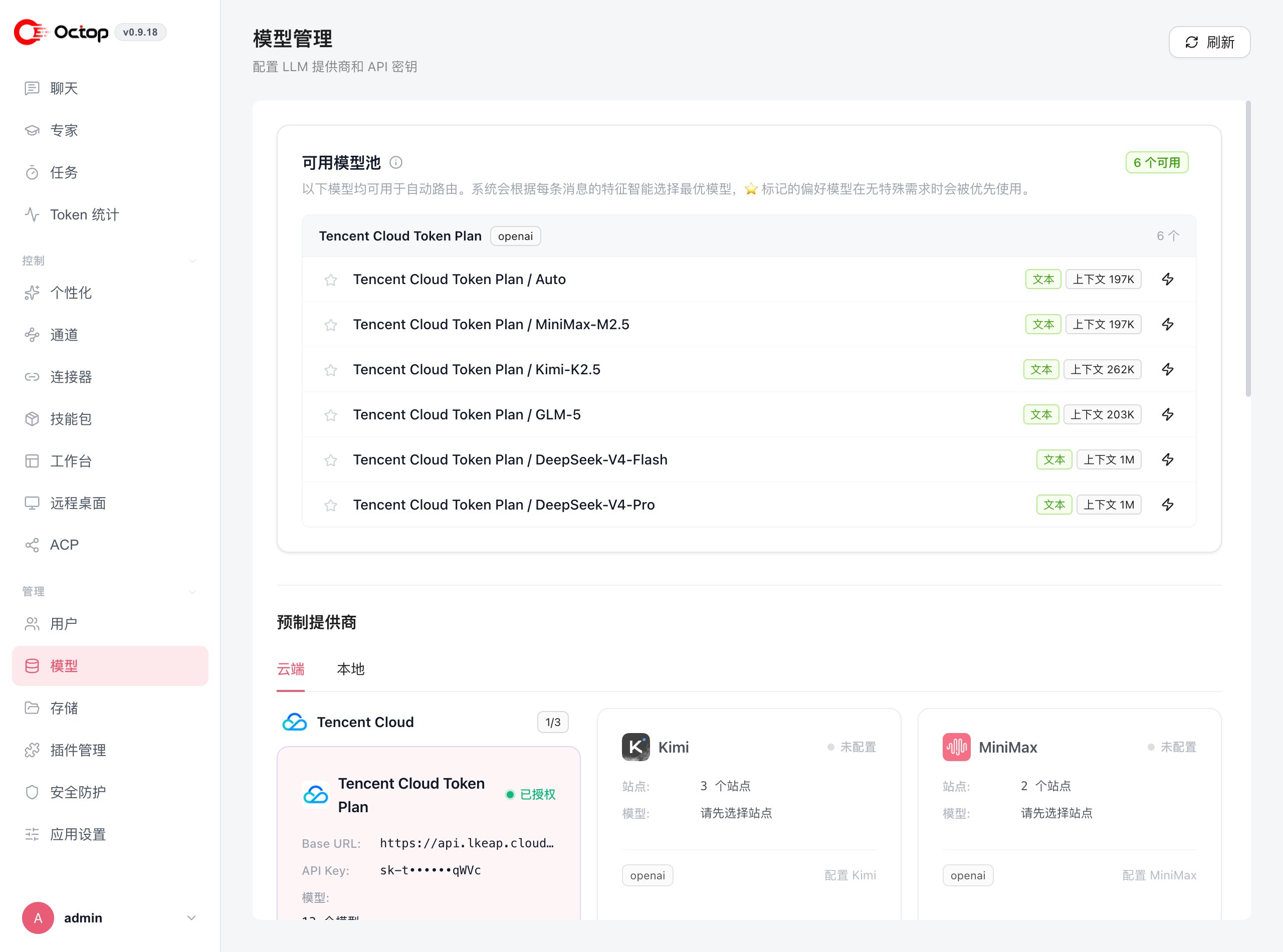
Built-in provider presets
The Cloud tab covers hosted services:
The Local tab ships an Ollama (Local) preset pointing at
http://localhost:11434/v1. If you need something else entirely, use Custom provider to supply your own base URL and key.
Presets are labelled by the API protocol they speak —
openai for the OpenAI chat completions spec and anthropic for the Anthropic Messages API. Any endpoint that follows one of those specs works as a custom provider.The available model pool and auto-routing
Every model from an enabled provider joins the available model pool at the top of the page. Octop can route each message automatically, choosing the model that best fits that message. Models you mark with a star are preferred when nothing about the request calls for something else. Each model in the pool shows its modality and context window, so you can see at a glance which ones handle long inputs.Set a model for an agent
Agents fall back to the global default unless you assign a model to them specifically. Override it per agent when you want, for example, a cheaper model for everyday chat and a stronger one for complex work. Each account can also store a preferred model and per-model reasoning defaults under personal settings. Those preferences apply to new turns for that user and do not change the shared provider catalog.Use Ollama for local models
Enable the Ollama (Local) preset under the Local tab. No API key is required; Octop talks to your Ollama instance athttp://localhost:11434/v1.
Ollama must be running before you send the first message to an agent that uses it. Use
octop models ollama-list and octop models ollama-pull to inspect and download local models.