

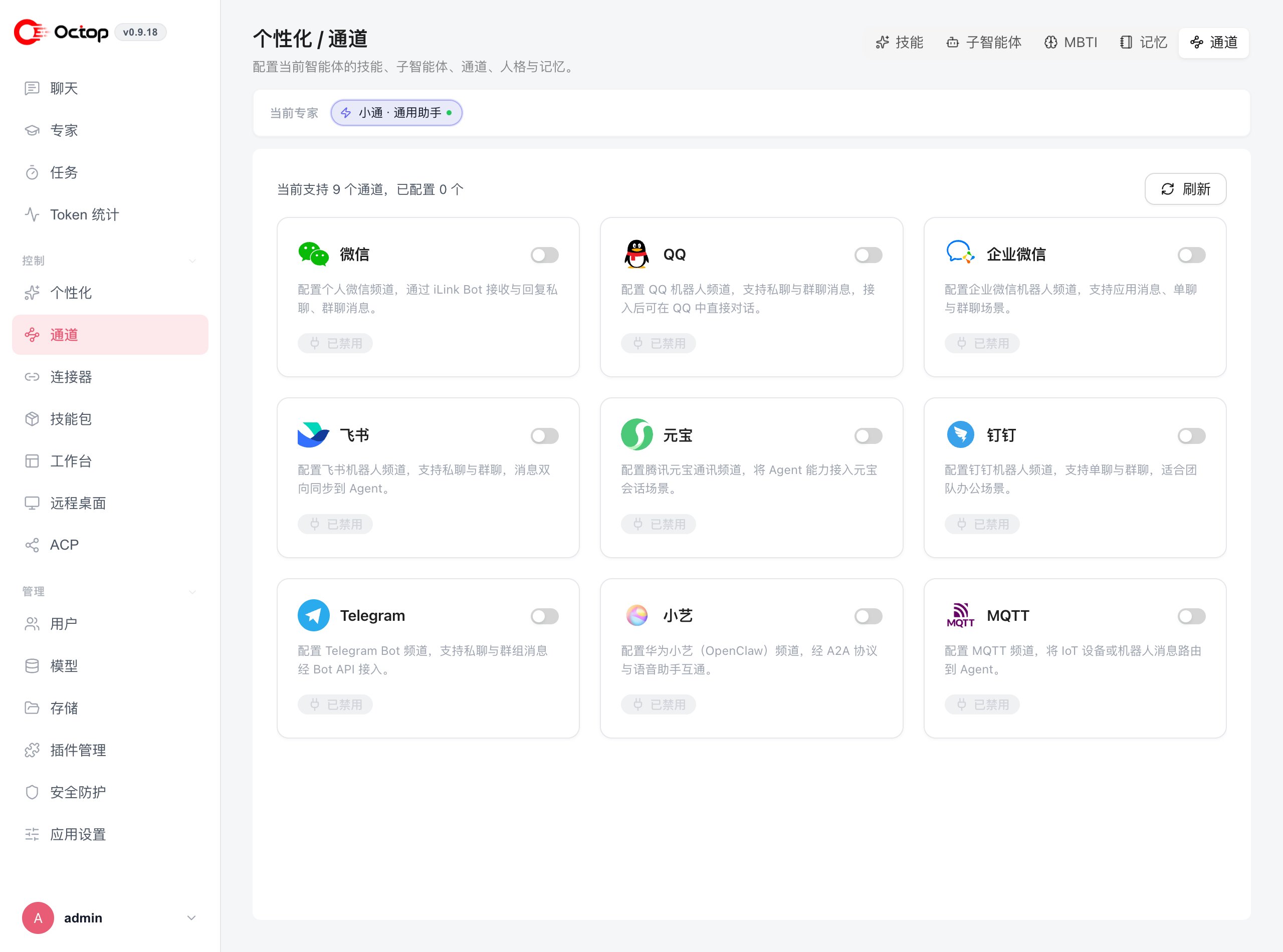
Supported channels
Octop ships nine channels:The web UI is always available for chat, so you can talk to any agent immediately after creating it without configuring a channel.
Add a channel to an agent
Channels are configured per agent under personalization:How message routing works
Each channel is attached to exactly one agent. When a user sends a message on the connected platform, Octop’s IM bridge normalises it into a standard format and delivers it to the agent for processing. The agent’s reply travels back through the same bridge to the originating platform.Choose how replies appear
In the channel settings drawer, open Message display → Response mode:- Final only (Recommended) sends one completed reply after the agent finishes.
- Live progress shows updates in the chat app while the agent is still working.
c2c_streaming instead.
Next steps
Agents
Review how to create and manage the agents your channels connect to.
Connectors
Extend your agents with built-in connectors and custom MCP servers.