

Expert library
Octop bundles an expert library of pre-configured agent templates. At boot, Octop scans the library directory and registers every template so it is immediately available to all users. Browse and instantiate templates from the web UI: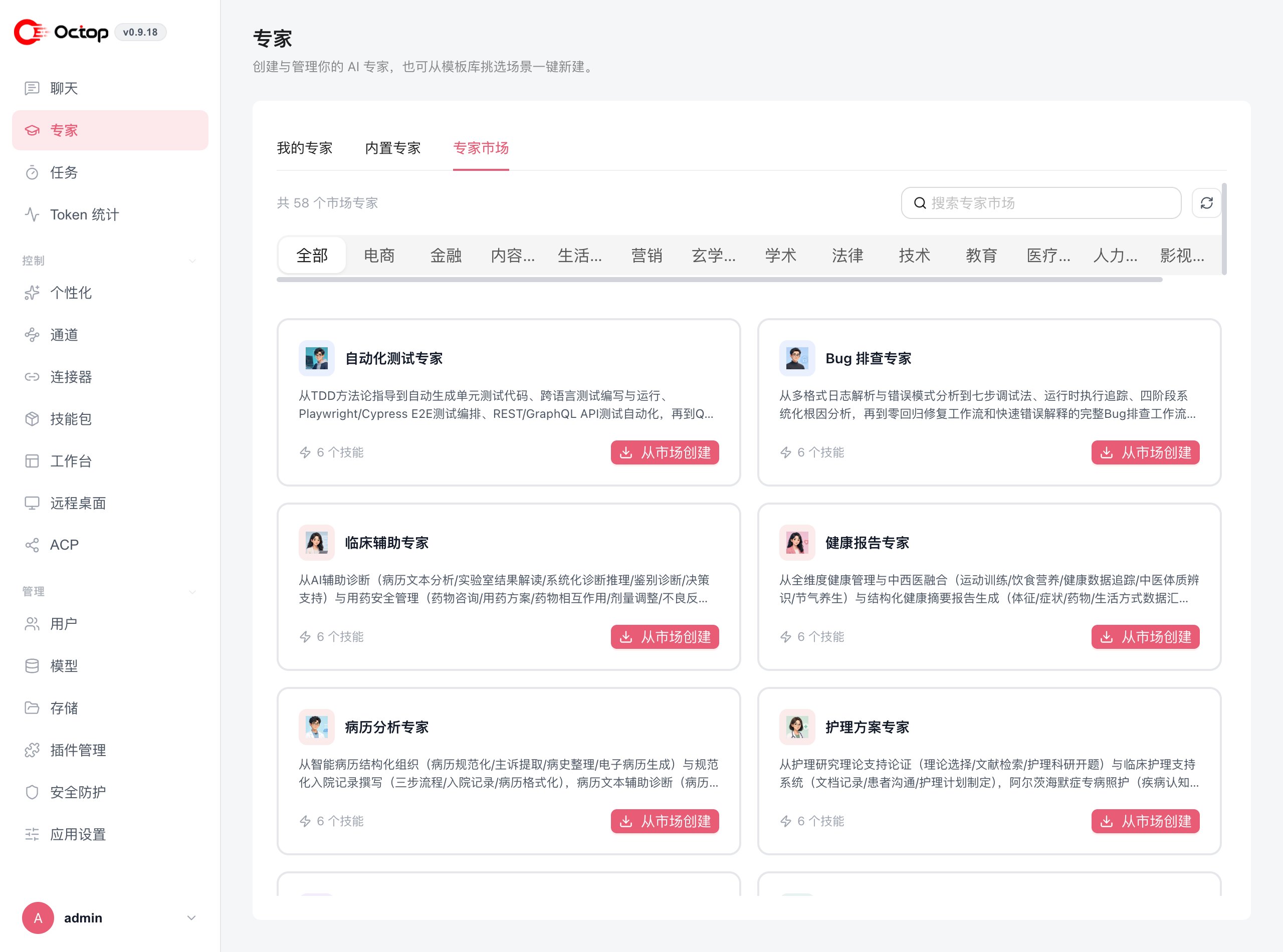
Publish your own template
From an existing agent you can publish a snapshot to the expert market. Other users install it as their own private agent. You can include a custom avatar and a welcome message. Sharing an agent lets others open the live agent. Publishing copies a template and leaves the original running.MBTI personas
Octop ships 16 personality profiles based on the MBTI framework. When you assign a persona to an agent, Octop renders aSOUL.md file into the agent’s workspace. That file becomes the backbone of the agent’s system message — it defines answer style, approach to creativity, conflict handling, planning behaviour, and more.
If you also set a custom system prompt on the agent, it is appended to the persona backbone. The persona provides the character; your system prompt adds the role-specific instructions on top.
All 16 persona codes
Set a persona
Personas are assigned per agent:SOUL.md.
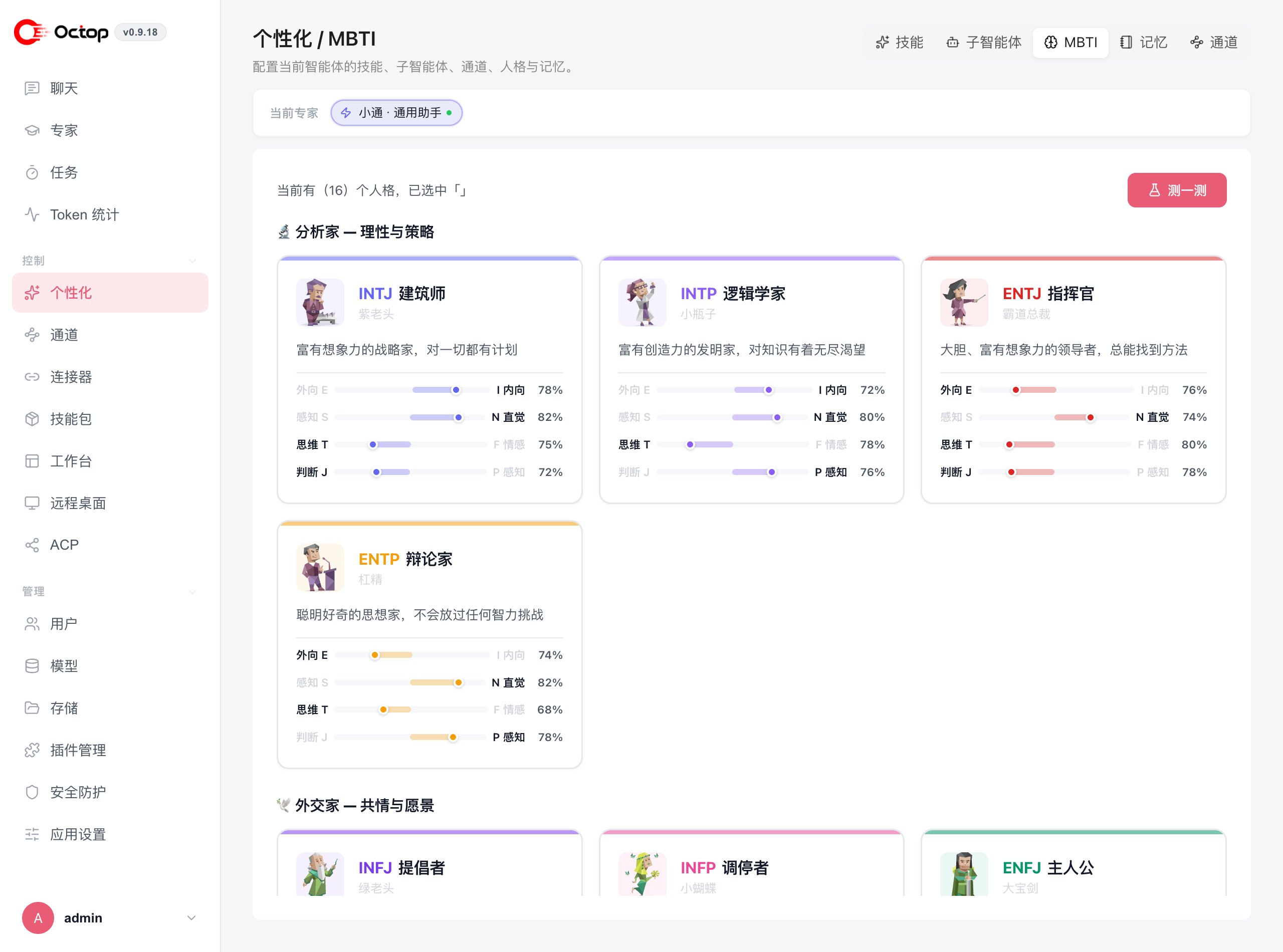
--persona-mbti when creating an agent via the CLI — see Agent commands.
Discover your persona with the interactive quiz
Combine experts and personas
Personas and expert templates can apply to the same agent — the persona shapes how it speaks, the expert template shapes what angle it thinks from. For example, an ENTJ persona with a product-manager expert template gives direct, goal-driven product advice.If you leave the persona unset, Octop falls back to a built-in default tone — warm, direct, and competent. You can still add a custom system prompt without selecting any MBTI code.
Next steps
Agents
Review agent attributes, lifecycle states, and creation options.
Channels
Connect your persona-equipped agent to IM platforms.